SQL
Our social app needs a message history that survives a restart. It must remember who posted each message, retrieve a feed, and let us correct or remove saved information. A JSON file can hold the records, but each small change would require loading and rewriting the collection. Save the app’s users and messages in social.db.
A database stores data in tables and lets us retrieve or change selected rows. We use SQL (Structured Query Language, usually said “sequel”) to ask for results such as all messages by one user or the number of posts each user has written. SQL is declarative: we describe the result, and the database decides how to compute it.
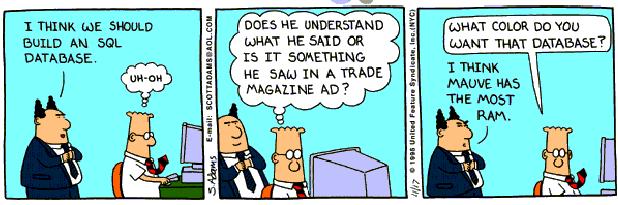
The boss in this comic asks for SQL without knowing what a database is:
Tables and Keys
We will use SQLite, which stores an entire SQL database in one file and requires no database server. Python includes SQLite through the sqlite3 module, and many systems provide a sqlite3 command-line program. You can also run the same SQL in a browser at sqlite.org/fiddle. If your terminal reports sqlite3: command not found, use that browser for the SQL experiments below. The Python initializer later in this reading creates the local social.db needed by the Python examples. A database in the browser is separate from files on your computer. The interactive sessions below use the sqlite3 command. Its prompt is sqlite>.
Start in a practice folder without an existing social.db and open the database:
$ sqlite3 social.dbAt the sqlite> prompt, enable readable table output and foreign-key checks:
.headers on
.mode column
PRAGMA foreign_keys = ON;
The dot commands configure the SQLite shell. SQL statements end with a semicolon. Keep this session open and run the following SQL blocks in order. In the browser fiddle, run only the SQL statements, including PRAGMA, rather than the shell’s dot commands.
A database is a set of tables, and a table is a grid of rows and columns, like one sheet of a spreadsheet with named, typed columns. Our app needs a table of users and a table of their messages. We create a table with the CREATE TABLE command, naming each column and its type:
CREATE TABLE users (
    id INTEGER PRIMARY KEY,
    username TEXT NOT NULL UNIQUE,
    password TEXT NOT NULL,
    age INTEGER
);
id is an integer that is the primary key, the column that uniquely identifies each row. For the inserts into our new table, SQLite assigns 1, 2, 3, and so on when we omit it. An id identifies a row. It is not a count of rows, and deleting rows can leave gaps. username is text that is NOT NULL (every user must have one) and UNIQUE (no two users may share it). password is required text, and age is an integer with no constraints, so it is allowed to be missing. A successful CREATE TABLE prints nothing, like passing doctests.
The second table stores messages, and it needs a way to say who sent each one:
CREATE TABLE messages (
    id INTEGER PRIMARY KEY,
    sender_id INTEGER NOT NULL REFERENCES users(id),
    message TEXT NOT NULL,
    created_at TIMESTAMP NOT NULL DEFAULT current_timestamp
);
The sender_id column holds the id of the user who wrote the message, and REFERENCES users(id) records that it points into the users table. In a relational database, each fact lives in one place and other tables point to it by key. We therefore store the sender’s id instead of copying the username into every message. The created_at column defaults to current_timestamp, so every message is automatically stamped with the time it was inserted. The earlier PRAGMA foreign_keys = ON asks SQLite to reject a sender_id that has no matching user. Enable foreign-key enforcement on each connection. Declaring the relationship alone does not enable the check.
Inserting Rows
Add accounts to the empty users table before adding their messages. INSERT adds a row. It lists the columns to fill and their values:
INSERT INTO users (username, password, age) VALUES ('Trump', 'TRUMP', 76);
INSERT INTO users (username, password, age) VALUES ('Biden', '12345', 79);
INSERT INTO users (username, password, age) VALUES ('Evan', 'correct horse battery staple', 7);
INSERT INTO users (username, password, age) VALUES ('Isaac', 'soccer', 4);
INSERT INTO users (username, password, age) VALUES ('Aaron', 'guaguagua', 3);
INSERT INTO users (username, password, age) VALUES ('Aurelia', '', 2);
INSERT INTO users (username, password, age) VALUES ('Teal', '524euTjrWm6uK2C5iw8mC6aNgX1JI78o', 38);
INSERT INTO users (username, password) VALUES ('Kristen', 'Possible-Rich-Absolute-Battle');
Each statement creates one new row, and again SQLite prints nothing on success. We left age out of the last row, so Kristen’s age is stored as NULL, SQL’s word for a missing value. We did not set id on any of them, because the primary key fills itself in.
These examples store passwords as plain readable text, which is a serious security mistake that real applications should not make. A real site stores a scrambled hash of the password so that a stolen database does not hand over everyone’s login. The readable passwords let us inspect these examples. Evan’s password is the xkcd passphrase.
Add ten messages so the queries below all use the same data. One INSERT can supply several rows separated by commas. Explicit timestamps keep this example repeatable:
INSERT INTO messages (sender_id, message, created_at) VALUES
    (1, 'I''m a baby', '2022-11-14 14:30:00'),
    (2, 'I''m a baby', '2022-11-14 14:30:00'),
    (3, 'I''m a baby', '2022-11-14 14:33:01'),
    (4, 'I''m a baby', '2022-11-15 14:35:45'),
    (3, 'I''m actually a toddler', '2022-11-16 14:35:45'),
    (6, 'Today in 1918, the Armistice that effectively ended WWI came into effect.', '2022-11-11 11:00:00'),
    (6, 'I''m an adult', '2022-11-17 14:35:25'),
    (6, 'SQL is the best!!', '2022-11-17 15:52:45'),
    (7, 'I''m an adult', '2022-11-17 16:12:21'),
    (7, 'WTF is SQL?!  I thought you liked the snake thing.', '2022-11-17 15:53:47');
The doubled quote in I''m represents one apostrophe inside a SQL string.
Selecting Rows
Before building the feed, inspect the saved accounts and messages. SELECT retrieves rows. Its shape is select these columns, from this table, where this condition holds. The simplest version uses * to request every column of every row:
SELECT * FROM users ORDER BY id;SQLite prints the matching rows as a table:
id  username  password                          age
--  --------  --------------------------------  ---
1   Trump     TRUMP                             76
2   Biden     12345                             79
3   Evan      correct horse battery staple      7
4   Isaac     soccer                            4
5   Aaron     guaguagua                         3
6   Aurelia                                     2
7   Teal      524euTjrWm6uK2C5iw8mC6aNgX1JI78o  38
8   Kristen   Possible-Rich-Absolute-Battle
Each row is one user, each column is one field, and the id values are the primary keys SQLite assigned as we inserted. Kristen’s age is blank because we never gave it a value. ORDER BY id asks for ascending id order. SQL does not promise an order unless the query requests one.
Usually you do not want every column or every row. You pick columns by naming them, and you keep only the rows you want with a WHERE clause:
SELECT username, age FROM users WHERE age >= 18 ORDER BY id;username age
-------- ---
Trump 76
Biden 79
Teal 38The result contains two columns and only the three rows whose age is at least 18. Think through the query by locating users, keeping rows that satisfy WHERE, and reading the selected columns from those rows. SELECT produces a result without removing the other rows or columns from the stored table. To count matching rows rather than list them, wrap the selection in count(*):
SELECT count(*) FROM messages WHERE sender_id = 6;count(*)
--------
3The result says that user 6 sent three messages. LIKE matches text patterns, with % standing for any run of characters:
SELECT id, username FROM users WHERE username LIKE 'A%' ORDER BY id;id username
-- --------
5 Aaron
6 Aurelia'A%' matches usernames starting with A. SQLite’s default LIKE also matches lowercase a because it ignores case for ASCII letters. % plays the same role in LIKE that * plays in a shell glob and .* plays in a regular expression. ORDER BY age DESC sorts results by age from highest to lowest. Because NULL is missing rather than a value, test for it with WHERE age IS NULL rather than = NULL.
With these tables’ default collation, username = 'trump' does not match 'Trump'. Equality checks are case-sensitive here. Combine conditions with AND when both must hold, or OR when either may hold. Parentheses group conditions, as in WHERE age < 18 OR (username = 'Trump' AND age > 70). ASC explicitly requests ascending order and is the default. In SQLite, NULL sorts before other values in ascending order and after them in descending order.
Where SQL Is Used
The queries above answer questions about our saved records without a Python loop. Many interactive websites use that same approach and store data in a SQL database. When you log in, post a comment, or like a photo, the backend may run SQL to read or change a row.
The database can choose an index and query plan based on the requested result. For data stored in a database, this is usually faster than loading every row into Python and filtering it in a loop.
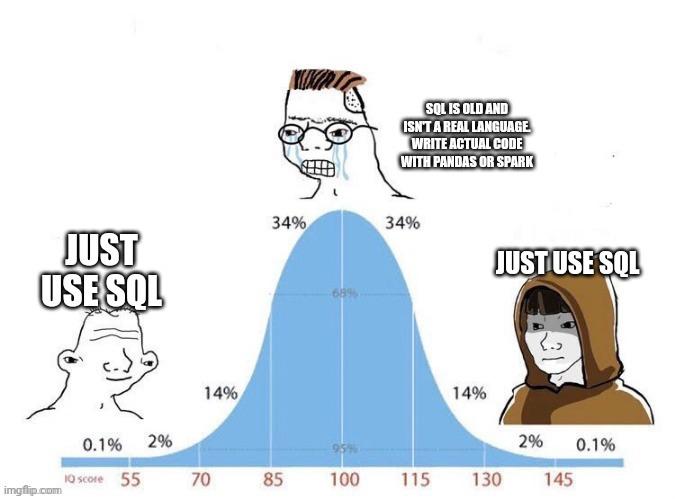
SQL is also common in data-science and backend technical interviews. We have used the everyday commands to inspect one table. Next we need a two-table join to put authors beside messages, then Python to serve the results on the web. Window functions, subqueries, and other advanced features belong to a later database course. The final project uses these tools to build a Twitter clone.
Joining Tables
A feed that shows only message text leaves out who wrote it. We stored the username in users and the message in messages, so the feed needs information from both. Every SELECT so far read from one table. A join follows messages.sender_id to users.id, pairing each message with its user in one query:
SELECT users.username, users.age, messages.message
FROM messages
JOIN users ON messages.sender_id = users.id
WHERE users.age >= 18
ORDER BY messages.id;
username age message
-------- --- --------------------------------------------------
Trump 76 I'm a baby
Biden 79 I'm a baby
Teal 38 I'm an adult
Teal 38 WTF is SQL?! I thought you liked the snake thing.JOIN users ON messages.sender_id = users.id attaches each message to the user whose id matches that message’s sender_id. A result row can then contain columns from both tables: users.username, users.age, and messages.message. Because a column name like id lives in both tables, we write table.column to say which one we mean. Teal appears twice because two messages match that account: the output contains one row per matching message-user pair, not one row per user. Users without messages do not appear in this inner join. Your final project’s home page uses this join without the WHERE, plus ORDER BY messages.created_at DESC, to show every message next to the account that posted it.
Updating and Deleting Rows
The app also needs to change what it remembers. Aurelia needs a password other than the empty string, and we want to clear out the repeated “I’m a baby” test messages. UPDATE edits existing rows, setting columns to new values wherever a condition holds:
UPDATE users SET password = 'hunter2' WHERE username = 'Aurelia';The statement finds every row where the username is Aurelia and overwrites its password column. A following SELECT confirms the change. DELETE removes whole rows that match a condition. Run it once, checking the count before and after:
sqlite> SELECT count(*) FROM messages;
10
sqlite> DELETE FROM messages WHERE message = 'I''m a baby';
sqlite> SELECT count(*) FROM messages;
6
Four rows matched the message text, so the count dropped from ten to six in one command. Leaving off the WHERE clause applies the change to every row. DELETE FROM messages; with no WHERE empties the entire table, and UPDATE users SET age = 0; resets everyone at once. SQLite gives no confirmation prompt, so check the WHERE clause before running an UPDATE or DELETE.
Creating the Database from a Script
Our Python server needs social.db in its own folder. If you used the SQLite shell, the file already holds the six messages left after the delete experiment. If you used the browser fiddle, those tables live in the browser and Python cannot open them as a local file.
Save schema.sql in your practice folder. It contains the same table definitions, accounts, posts, and update/delete statements from above, ending at this six-message checkpoint. Open it to compare the commands with the ones you just ran. Create db_create.py beside it:
from pathlib import Path
import sqlite3


def initialize_database():
    database = Path('social.db')
    if database.exists():
        return
    with open('schema.sql', encoding='utf-8') as f:
        schema = f.read()
    connection = sqlite3.connect(database)
    connection.executescript(schema)
    connection.close()


if __name__ == '__main__':
    initialize_database()
executescript runs the semicolon-separated SQL statements in the string. The Path.exists() check leaves an existing social.db untouched, so rerunning this script preserves saved posts. This initializer assumes any existing social.db is the working database created in this reading. If the SQLite shell is still open, enter .quit to return to your terminal before running Python. Run it from this folder:
$ python3 db_create.pyThe completed initializer is also available to download. Keep db_create.py and schema.sql with your source files. They let a classmate create the database without copying your database file or replaying a browser session. A new checkout should create its own database. Restarting an app should keep the one already there.
SQL from Python
A Python app can run the SQL commands we tried at the prompt. First reuse the adult-account query, whose result we already know. Save this as inspect_db.py beside social.db and run python3 inspect_db.py. Python’s sqlite3 module runs SQL from the saved file:
import sqlite3

connection = sqlite3.connect('social.db')
cursor = connection.cursor()
cursor.execute("SELECT username, age FROM users WHERE age >= 18 ORDER BY id")
for row in cursor.fetchall():
    print(row)
connection.close()
connect opens the database file, cursor provides a handle for commands, and execute runs a SQL statement passed as a Python string. fetchall hands back the results as a list of rows, and each row is a plain tuple, so we can loop over them like any Python list:
('Trump', 76)
('Biden', 79)
('Teal', 38)
The tuple’s positions follow the selected columns: row[0] is the username and row[1] is the age. Unlike a dictionary, the default row does not have a 'username' key.
Reading the accounts works. Now try saving a birthday update from Python. With this connection’s default transaction behavior, changes need commit() to be saved. A transaction groups changes so they can be committed together or rolled back together. Append this update to inspect_db.py and run it again:
connection = sqlite3.connect('social.db')
connection.execute('UPDATE users SET age = ? WHERE username = ?', (8, 'Evan'))
connection.commit()
connection.close()
The ? placeholders receive the two supplied values in order, keeping them separate from SQL syntax. After this commit, a new connection reads Evan’s age as 8. Closing without committing would discard this pending update. See the Python SQLite guide for transaction control.
Displaying the Feed
A browser needs a running server to answer its request for the message history. FastAPI maps web addresses to Python functions. A server keeps running and waits for requests, allowing a browser to trigger a function each time someone visits a page. In the folder containing social.db, set up its Python environment. Create requirements.txt beside the database with the server’s dependencies:
fastapi
uvicorn
Install them in the active environment, then save the server code below as webserver.py:
$ python -m pip install -r requirements.txtA minimal server answers one address with one message:
from fastapi import FastAPI
from fastapi.responses import HTMLResponse
import uvicorn

app = FastAPI()

@app.get('/', response_class=HTMLResponse)
async def index():
    return 'hello <b>world</b>'

if __name__ == '__main__':
    uvicorn.run("webserver:app", host='127.0.0.1', port=8080, reload=True)
The @app.get('/') line maps the URL path / to the function beneath it, so whatever that function returns becomes the page at that address. The function returns the HTML string hello <b>world</b>, so a browser pointed at http://127.0.0.1:8080 shows hello world, with “world” bold. The last line starts uvicorn, which listens for browser requests on port 8080 of your computer. Run python webserver.py from that folder, leave the terminal running, and open the address in a browser. async def defines a function FastAPI runs when a request arrives. It does not start the server by itself.
Once the greeting appears, connect the route to the message history. A route can run a SELECT instead of returning a fixed greeting:
import sqlite3
from fastapi import FastAPI
from fastapi.responses import HTMLResponse
import uvicorn

app = FastAPI()

@app.get('/', response_class=HTMLResponse)
async def timeline():
    connection = sqlite3.connect('social.db')
    cursor = connection.cursor()
    cursor.execute("SELECT message FROM messages ORDER BY created_at DESC")
    rows = cursor.fetchall()
    connection.close()
    html = ''
    for row in rows:
        html = html + '<p>' + row[0] + '</p>'
    return html
Every time a browser visits /, the function opens the database, selects all messages newest-first, and wraps each one in a <p> tag. Replace the earlier route with this one rather than registering a second handler for /, and keep the uvicorn.run(...) block at the bottom of the file. Run it from the folder containing the social.db created above so the relative filename opens the intended database. The returned HTML displays a feed with the newest message at the top.
The line html + '<p>' + row[0] + '</p>' pastes database text straight into the page. If a user puts HTML or a <script> tag in a message, the browser will run it. Jinja2 templates escape inserted text automatically. Hand-built strings do not, so never paste untrusted text straight into a project page.
Form Submissions
Our page reads the database but does not let a visitor add a row. Form submissions and POST requests let a visitor create a message. This week’s APIs and Web Interfaces lab connects a browser to the docchat project. Keep social.db, schema.sql, and db_create.py for the backend lab, where the shared feed becomes the beginning of your final project. Before that lab, you can inspect the saved history and choose which final-project features you want to build.