Objects & Classes
A tweet needs to remember its author and text, count likes, and display itself in a feed. We will put its data and these operations together in a Tweet class.
Python’s built-in types include numbers, strings, lists, and dictionaries. The class keyword lets us define our own types, with data and functions that work on that data. This is called object-oriented programming, or OOP (pronounced “oh oh pee”).
Create tweets.py in a new folder and open it in your editor. These examples use only built-in Python features, so no packages need installing. A dictionary can bundle the data:
tweet = {'username': 'rtealwitter', 'text': 'my first tweet', 'likes': 0}
print(type(tweet))
The dictionary holds the three values. We could write a separate function to update its like count.
Save the file, then run it from that folder:
$ python3 tweets.py
<class 'dict'>
A class groups the data and operations under one name and defines a distinct type.
Defining a Class
Replace the contents of tweets.py with an empty class:
class Tweet:
    pass
class introduces a new type named Tweet, and pass is a do-nothing placeholder for the body. By convention a class name is capitalized, which is why it is Tweet and not tweet. Append these lines below the class to create an object, then save and run python3 tweets.py:
tweet = Tweet()
print(type(tweet))
The added lines print:
<class '__main__.Tweet'>Tweet() builds a new object, and type confirms its type. An instance is an object of a particular class. Here, tweet refers to an instance of Tweet.
This first Tweet has no attributes yet. Creating one works, but it cannot remember the author or text. The next version should require both.
The Constructor
Every tweet should begin with a username, text, and zero likes. The constructor, a special method named __init__, sets those attributes when Python creates an instance. Replace the contents of tweets.py with this class definition:
class Tweet:
    def __init__(self, username, text):
        self.username = username
        self.text = text
        self.likes = 0
init is short for initialize: this method sets up the new object’s starting state. __init__ is defined like any function, with def, but the double underscores front and back mark it as special. Its first parameter, self, is the instance being built. Python supplies it automatically to every method. The body stores the supplied username and text on the instance and initializes its likes to zero.
The variables stored on the object, username, text, and likes, are called attributes (some languages call them properties). Append this check below the class, then save and run python3 tweets.py. Create a tweet by calling Tweet with its data, then access each attribute with a dot:
tweet = Tweet('rtealwitter', 'my first tweet')
print(tweet.username)
print(tweet.likes)
The added lines print:
rtealwitter
0
The call passes two arguments, 'rtealwitter' and 'my first tweet', although __init__ lists three parameters. Python fills self with the new object automatically, and the explicit arguments correspond to the parameters after it. Inside the method, username is the supplied argument and self.username is the attribute where we keep it. The argument name is local to the method call. The attribute remains available on the object after the call ends.
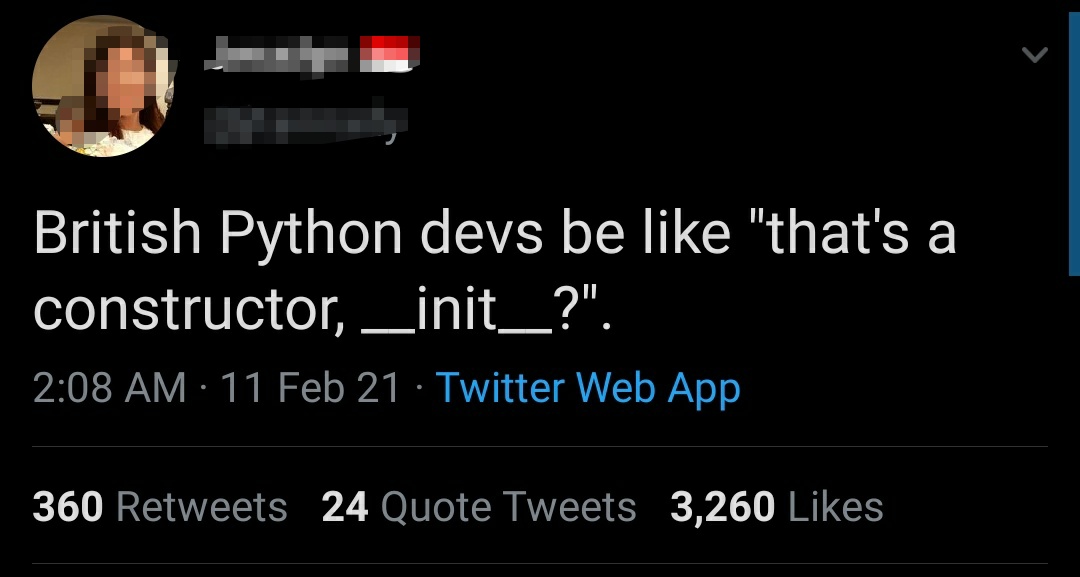
The constructor’s name is memorable enough to have its own pun:
Methods
A click on Like should increase this tweet’s counter. Attributes store data, and methods define related operations. A method is a function defined inside the class, and like __init__ its first parameter is self, the instance it acts on. Replace the class definition in tweets.py with this version, which adds a like method:
class Tweet:
    def __init__(self, username, text):
        self.username = username
        self.text = text
        self.likes = 0

    def like(self):
        self.likes = self.likes + 1
like takes only self and adds one to that instance’s like count. Replace the check below the class with these lines, then save and run python3 tweets.py. Calling like twice changes likes to 2:
tweet = Tweet('rtealwitter', 'my first tweet')
tweet.like()
tweet.like()
print(tweet.likes)
The added lines print:
2When you write tweet.like(), Python passes tweet in as self, so self.likes refers to this tweet’s counter. tweet.like() returns None because it changes self.likes instead of returning a value. The method does not print anything. Our print(tweet.likes) line displays the changed counter.
Each call to Tweet(...) creates a separate instance with its own attributes. Append these checks and rerun the file. Liking one tweet does not like another:
other = Tweet('ada', 'learning about classes')
print(other.likes)
print(tweet.likes)
The added lines print:
0
2
Append this next check and rerun the file. Assigning an existing object to a second name has a different effect:
same_tweet = tweet
same_tweet.like()
print(tweet.likes)
The added lines print:
3same_tweet and tweet refer to the same object, so either name sees the changed counter. The assignment did not call Tweet(...) and did not make a copy.
Copies and Nested Lists
A feed can contain lists of posts grouped by day. Append this experiment to feed_checks.py:
import copy

feed = [['hello'], ['good morning']]
alias = feed
shallow = copy.copy(feed)
deep = copy.deepcopy(feed)
feed[0].append('an update')
feed.append(['good evening'])
print(alias)
print(shallow)
print(deep)
The new lines print:
[['hello', 'an update'], ['good morning'], ['good evening']]
[['hello', 'an update'], ['good morning']]
[['hello'], ['good morning']]
alias names the original outer list. A shallow copy makes a new outer list containing references to the same inner lists. A deep copy copies the nested lists too. List slices such as feed[:] and feed[1:] also make shallow copies. The slice chooses which entries to retain, and those entries still refer to the original objects.
Index one bracket at a time when following nested lists. An empty slice such as feed[:0] is valid, but taking [0] from it raises IndexError. Trying to index an integer raises TypeError. A list can even contain itself. If we accidentally write feed.append(feed), its last entry refers back to the same list, and another index starts from that list again. The append adds just one entry, so len(feed) grows by one.
Changing a List
We might want the newest posts first while keeping an older view of the feed. Append this check:
posts = ['morning', 'afternoon', 'evening']
newest_first = list(reversed(posts))
print(newest_first)
print(posts)
print(posts.reverse())
print(posts)
It prints:
['evening', 'afternoon', 'morning']
['morning', 'afternoon', 'evening']
None
['evening', 'afternoon', 'morning']
reversed(posts) supplies entries in reverse order, and list(...) collects them into a new list. posts.reverse() changes the existing list and returns None. Likewise, sorted(posts) makes a new sorted list, while posts.sort() changes the existing list and returns None. posts.pop() removes and returns the final entry. Calling it on an empty list raises IndexError. A loop that builds a reversed list with pop() consumes its input unless it first copies that input.
List += extends the existing list. posts = posts + ['night'] constructs a new list and reassigns the local name. Other names for the old list see a mutation, but they do not follow a reassignment. In a function, this distinction determines whether the caller’s list changes. For an integer parameter, += binds the local name to a new integer. If a function only reads a name that it never assigns locally, Python can find that name outside the function.
Default Arguments
Each new feed should start empty. This first attempt accidentally shares its default list:
class Feed:
    def __init__(self, posts=[]):
        self.posts = posts

first = Feed()
second = Feed()
first.posts.append('hello')
print(second.posts)
Append it to feed_checks.py. It prints ['hello']. Python evaluates a default argument once when it defines the function. Both calls use that same list. Passing a list explicitly uses the supplied list instead, and the instance keeps a reference to it. This rule applies to ordinary functions as well as constructors.
Replace that class definition with this version and rerun the file:
class Feed:
    def __init__(self, posts=None):
        if posts is None:
            posts = []
        self.posts = posts
Now the check prints []. Each omitted argument produces a fresh list. Use is None to recognize the omitted value. if not posts would also replace an explicitly supplied empty list, because an empty list counts as false. Reassigning a local parameter leaves the original default unchanged, while mutating the default list changes what later calls receive.
Dunder Methods
Define how print should display the tweet. Methods with double underscores at the front and back are called dunder methods (short for “double underscore”) or magic methods. Python calls them for built-in operations rather than requiring you to call them by name. Python calls __init__ when you write Tweet(...). Other dunder methods customize Python’s built-in behavior: __str__ controls what print shows, and __eq__ controls what == means.
For a readable printed tweet, add this method inside the class, beside like:
    def __str__(self):
        return self.username + ': ' + self.text
Keep the checks below the class and append these lines at the bottom of the file. Save and rerun python3 tweets.py:
tweet = Tweet('rtealwitter', 'my first tweet')
print(tweet)
The added lines print:
rtealwitter: my first tweetprint uses the string returned by __str__. The method itself returns text rather than printing it.
Duck Typing
A feed might contain announcements as well as tweets. A function that displays them can accept either type if both provide the text it needs. Python often uses an object’s available operations instead of checking its declared type. At the bottom of tweets.py, add a function that shows a post:
def show(post):
    print(post.text)
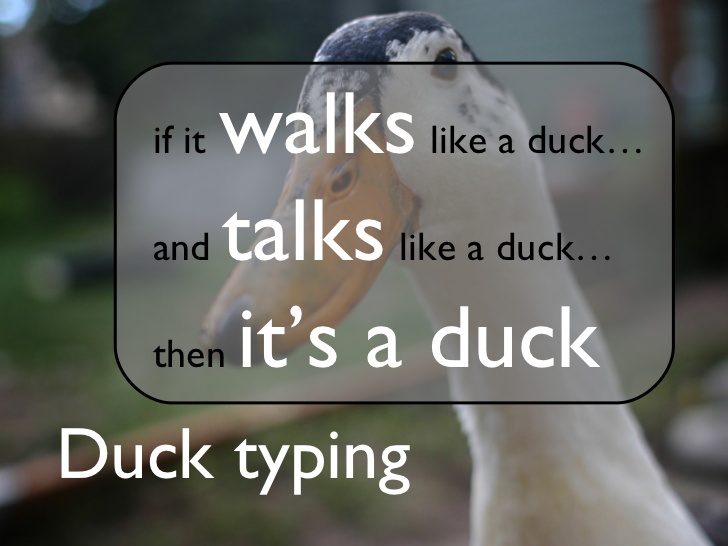
show does not require a Tweet. It runs on any object with a .text attribute and fails on an object without one. The dictionary at the start of this reading has a 'text' key, but it has no .text attribute. Its data has the same meaning, yet show needs the attribute-access operation provided by our class. This is called duck typing: if an object walks like a duck and quacks like a duck, Python treats it as a duck.
Append this announcement class and two calls to show, then save and rerun the file. An announcement can provide the same operation without inheriting from or mentioning Tweet:
class Announcement:
    def __init__(self, text):
        self.text = text
show(Announcement('Game night starts at six.'))
show(tweet)
The added lines print:
Game night starts at six.
my first tweet
Both calls work because show only asks for .text. If we changed show to call .like(), the announcement would need that method too.
Internal Attributes
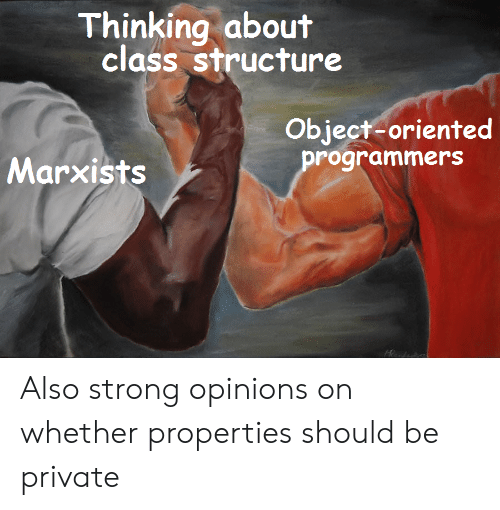
If every change to the counter should go through like, we need to distinguish that method from attributes intended for internal use. Many languages make some attributes private, allowing only the class’s methods to access them. Python instead uses a naming convention. Prefix an internal attribute with one underscore, as in self._likes, to tell other programmers not to access it directly. The underscore does not enforce this restriction.
Naming Conventions
Python’s official style guide, PEP 8 (a “Python Enhancement Proposal”), defines naming conventions. Class names use CamelCase: capitalize each word and run them together, like Tweet or HttpResponse. Variables, functions, methods, and attributes use snake_case: lowercase words joined by underscores, like username, like, and input_name. Python code does not conventionally use lowerCamelCase (capitalized words but a lowercase first letter, like inputName), although other languages do.
Uses for Classes
Use a class when data and behavior belong together, as they do for Tweet, and use a plain function otherwise.
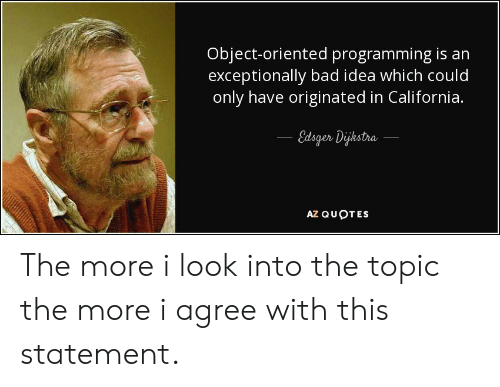
Edsger Dijkstra wrote the quote shown above. Automate the Boring Stuff, the book this course uses, does not need a chapter on classes. You can automate many tasks without defining a class yourself. You mainly need to recognize classes in libraries and other people’s code. Real Python’s object-oriented programming guide provides a more detailed introduction.
Classes in the Final Project
The final Twitter clone uses User and Tweet classes similar to the example above. Each class defines its instances’ data in __init__ and provides methods that operate on that data.
Append one last check with a fresh tweet, then save and rerun python3 tweets.py:
first = Tweet('ada', 'ready for the demo')
first.like()
print(first)
print(first.likes)
The added lines print:
ada: ready for the demo
1
The instance keeps its state between calls. Our chatbot will use a class to keep conversation history for the same reason.
The completed tweets.py contains the class and the checks we added to it.