Objects & Classes
When several pieces of data belong together, it’s useful to keep them with the functions that work on them. In Python we can do this with a class. We’ll see how to define one and how to give each object its own data.
Names and Copies
A variable is a name for an object. Assigning a list to a second variable gives the same list another name, called an alias. If we edit the list through one name, we see that edit through the other. Use a is b to check whether two names refer to the same object.
Our playlists will include Stephen Sanchez’s “Evangeline,” Benson Boone’s “Beautiful Things,” Damiano David’s “Born With a Broken Heart,” Neil Young’s “Heart of Gold,” Billy Joel’s “Vienna,” and Noah Kahan’s “Stick Season.”
Create list_checks.py in a practice folder and start with:
songs = ['Evangeline', 'Beautiful Things']
alias = songs
alias.append('Born With a Broken Heart')
print(songs)  # ['Evangeline', 'Beautiful Things', 'Born With a Broken Heart']
print(alias is songs)  # True
Save the file and run python3 list_checks.py.
A shallow copy creates a new outer container holding references to the same entries. The outer lists can grow independently, but an entry that is itself a list is still shared. A deep copy also copies nested containers. A list slice makes a shallow copy of the selected entries.
In this schedule, each entry is itself a list of songs:
import copy

schedule = [['Evangeline'], ['Beautiful Things']]
shallow = copy.copy(schedule)
deep = copy.deepcopy(schedule)
schedule[0].append('Born With a Broken Heart')
schedule.append(['Vienna'])
print(shallow)  # [['Evangeline', 'Born With a Broken Heart'], ['Beautiful Things']]
print(deep)     # [['Evangeline'], ['Beautiful Things']]
The first edit changes an inner list, so the shallow copy sees it. The second edit adds an entry to the original outer list, so neither copy gains that entry.
schedule = [['Evangeline', 'Born With a Broken Heart'], ['Beautiful Things'], ['Vienna']]

selected = schedule[:1]
selected[0] = ['Heart of Gold']
print(schedule[0])  # ['Evangeline', 'Born With a Broken Heart']
Replacing an entry in selected changes which inner list that entry refers to. It does not edit the inner list that schedule still holds.
Mutation and Parameters
Mutation means changing the object itself. Reassignment means making a name refer to a different object. When we pass a list to a function, the parameter refers to the caller’s list. Changing an item changes that list, while assigning a new list to the parameter only changes the local name.
Compare these two functions:
def add_to_list(songs, song):
    songs += [song]


def make_longer_list(songs, song):
    songs = songs + [song]
    return songs

songs = ['Evangeline']
add_to_list(songs, 'Born With a Broken Heart')
longer = make_longer_list(songs, 'Heart of Gold')
print(songs)   # ['Evangeline', 'Born With a Broken Heart']
print(longer)  # ['Evangeline', 'Born With a Broken Heart', 'Heart of Gold']
For a list, += extends the existing list. The + expression constructs a new list, and the assignment changes only the local name. The caller can keep the returned list without replacing its original one.
Some operations change a list and return None. Others leave it alone and return a new value. Check both the return value and the list when deciding which behavior you need.
The table below shows which list operations change the list and what they return. (All the cheatsheets from this reading are available as a PDF here.)
| Operation | Effect | Return value |
|---|---|---|
xs.append(value) |
Add one entry to xs |
None |
xs.remove(value) |
Remove the first equal entry from xs |
None; raises ValueError if absent |
xs.reverse() |
Reverse xs in place |
None |
xs.sort() |
Sort xs in place |
None |
list(reversed(xs)) |
Leave xs unchanged |
A new list in reverse order |
sorted(xs) |
Leave xs unchanged |
A new sorted list |
xs[:] or copy.copy(xs) |
Copy the outer list | A new list sharing the original entries |
copy.deepcopy(xs) |
Copy the list and nested containers | An independent copy of that data |
Append this check and rerun list_checks.py:
songs = ['Evangeline', 'Beautiful Things', 'Born With a Broken Heart']
last_first = list(reversed(songs))
print(last_first)       # ['Born With a Broken Heart', 'Beautiful Things', 'Evangeline']
print(songs.reverse()) # None
print(songs)            # ['Born With a Broken Heart', 'Beautiful Things', 'Evangeline']
last_first is a separate list. Calling reverse changed songs itself.
A default argument supplies a value when a caller omits an argument. Python evaluates that value once, when it defines the function. If the default is a list, calls that omit the argument share that list.
This first attempt accidentally shares a song list:
def add_song(song, songs=[]):
    songs.append(song)
    return songs

first = add_song('Evangeline')
second = add_song('Beautiful Things')
print(first)  # ['Evangeline', 'Beautiful Things']
Replace that definition with one that creates a list inside each call:
def add_song(song, songs=None):
    if songs is None:
        songs = []
    songs.append(song)
    return songs

first = add_song('Evangeline')
second = add_song('Beautiful Things')
print(first)   # ['Evangeline']
print(second)  # ['Beautiful Things']
None marks the omitted argument without supplying a shared list. The test is None accepts an explicitly supplied empty list as a real argument. The test if not songs would replace that empty list too, because it is falsy. These rules also apply to methods and constructors. An integer default does not have the shared-list problem: adding to an integer creates a new integer rather than mutating the old one.
Saving Changes
Git keeps named versions of our files so we can return to earlier work and develop a change separately. A commit saves the file contents we have staged. A branch names a line of commits, and switching branches updates the working files to that version.
Save the list experiments before starting the playlist class:
git init -b main
git add list_checks.py
git commit -m "Check copies and list changes"
git switch -c playlist-class
git init initializes a repository, and -b main names its first branch. git add stages the file, and commit -m records it with a message. switch -c creates the new branch at the current commit and switches to it. The next commits will advance playlist-class while main stays here.
Use git status --short to see which files have changed and git diff to inspect edited lines. In a diff, - marks removed lines and + marks added lines. A merge brings another branch’s commits into the current branch. If the current branch has not moved since the branches separated, Git can move it forward to the newer commit. This is a fast-forward merge.
After completing and checking playlists.py below, save it on the working branch and merge:
git status --short
git diff
git add playlists.py
git commit -m "Add playlists and their methods"
git switch main
git merge playlist-class
Both branches now include the playlist class. Commit edits before switching branches so unfinished changes do not follow you to the other branch or block the switch.
Classes and Methods
A class defines a new type of object: the data it keeps and the operations available on it. An instance is one object created from that class. Each instance can hold different data while supporting the same operations. This approach is called object-oriented programming, or OOP. An unfinished class can use pass as its body: the statement does nothing, leaving us a type to fill in later.
A dictionary can group related values, and separate functions can work on those values. A class puts the operations alongside the data they use. Values stored on an instance are its attributes. We access them with a dot. A method is a function defined in the class and called on an instance.
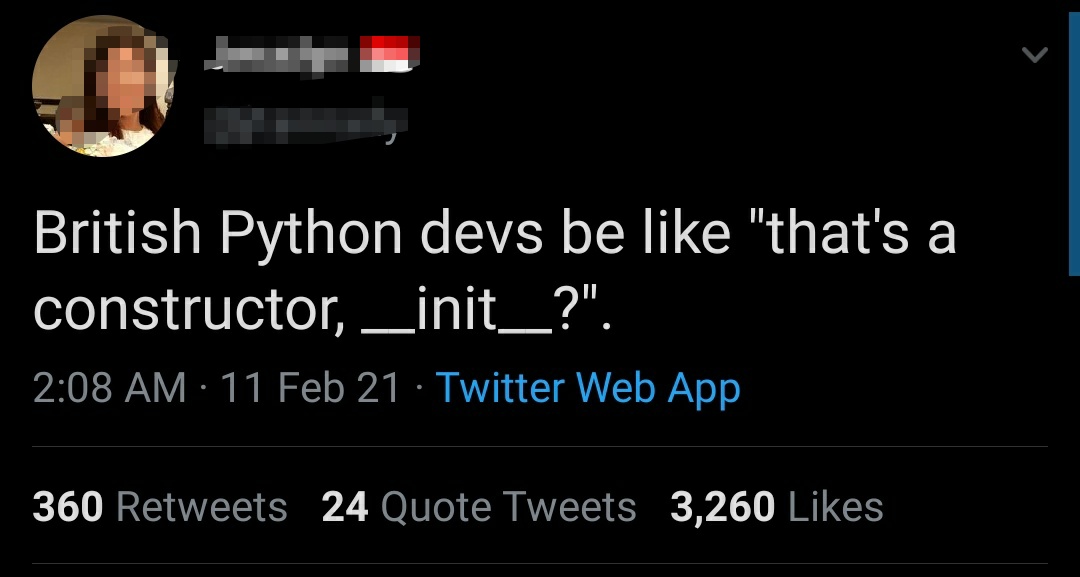
__init__ initializes each new instance. We usually call it the constructor. Its first parameter, self, refers to that instance, and Python supplies it when the method is called. The remaining parameters receive the arguments we write in the call.
Create playlists.py beside list_checks.py:
class Playlist:
    def __init__(self, playlist_id, title):
        self.playlist_id = playlist_id
        self.title = title
        self.songs = []

playlist = Playlist(1, 'Club night')
print(playlist.title)  # Club night
print(playlist.songs)  # []
Save it and run python3 playlists.py. The call creates one instance, then initializes it with ID 1 and title 'Club night'. Each constructor call creates a fresh song list.
A parameter such as title is local to the method call. An assignment to self.title saves a value on the instance for later calls to use. Writing title = title would leave the instance without that attribute. Looking up an attribute that has never been set raises AttributeError.
Methods can change the instance, return a result, or do both. A method without a return statement returns None, just like an ordinary function. Calling a method does not automatically display its result.
This version adds methods for changing the song list. Replace playlists.py with the complete example:
class Playlist:
    def __init__(self, playlist_id, title):
        self.playlist_id = playlist_id
        self.title = title
        self.songs = []

    def add_song(self, song):
        self.songs.append(song)

    def remove_song(self, song):
        if song in self.songs:
            self.songs.remove(song)

playlist = Playlist(1, 'Club night')
playlist.add_song('Evangeline')
playlist.add_song('Beautiful Things')
playlist.remove_song('Evangeline')
print(playlist.songs)  # ['Beautiful Things']

other = Playlist(2, 'Study session')
print(other.songs)  # []
same_playlist = playlist
same_playlist.add_song('Born With a Broken Heart')
print(playlist.songs)  # ['Beautiful Things', 'Born With a Broken Heart']
The membership check lets removal leave the list alone when a song is absent.
other is a separate instance. same_playlist is an alias for the original instance. For playlist.add_song('Evangeline'), Python supplies playlist as self and the string as song.
Methods can use the same loops and string operations as other functions. split() separates text at whitespace, startswith(prefix) checks its beginning, and slicing keeps the part we want.
A music note may label tracks by where they were recorded:
note = 'live:Paris studio:London live:Rome'
locations = []
for word in note.split():
    if word.startswith('live:'):
        locations.append(word[5:])
print(locations)  # ['Paris', 'Rome']
The slice removes the five characters in live:. Repeated labels would be collected again in their original order.
Display and Equality
Python calls certain methods when an object participates in a built-in operation. Names with double underscores at both ends are dunder methods, short for “double underscore.” __str__ returns the text used by str and print. __eq__ defines the comparison made by ==. These methods let our own types work with familiar Python operations.
This smaller version of Playlist shows how __str__ controls its display:
class Playlist:
    def __init__(self, playlist_id, title):
        self.playlist_id = playlist_id
        self.title = title
        self.songs = []

    def __str__(self):
        return self.title + ' (songs: ' + str(len(self.songs)) + ')'

playlist = Playlist(1, 'Club night')
playlist.songs = ['Beautiful Things', 'Born With a Broken Heart']
print(playlist)  # Club night (songs: 2)
The method returns the string, and print displays it.
Equality asks whether two objects count as equal according to their type’s rule. Identity, tested with is, asks whether two references point to the very same object. Two independently created instances can compare equal without being identical.
Saved copies of a playlist may have different songs but the same playlist ID. This version compares playlist IDs:
class Playlist:
    def __init__(self, playlist_id, title):
        self.playlist_id = playlist_id
        self.title = title
        self.songs = []

    def __eq__(self, other):
        if not isinstance(other, Playlist):
            return False
        return self.playlist_id == other.playlist_id

playlist = Playlist(1, 'Club night')
loaded = Playlist(1, 'Club night, revised')
different = Playlist(3, 'Club night')
print(playlist == loaded)        # True
print(playlist == different)     # False
print(playlist == 'Club night')  # False
print(playlist is loaded)        # False
isinstance(other, Playlist) checks the type before we read its attributes. For playlist == loaded, self is playlist and other is loaded. Matching titles alone do not make two playlists equal.
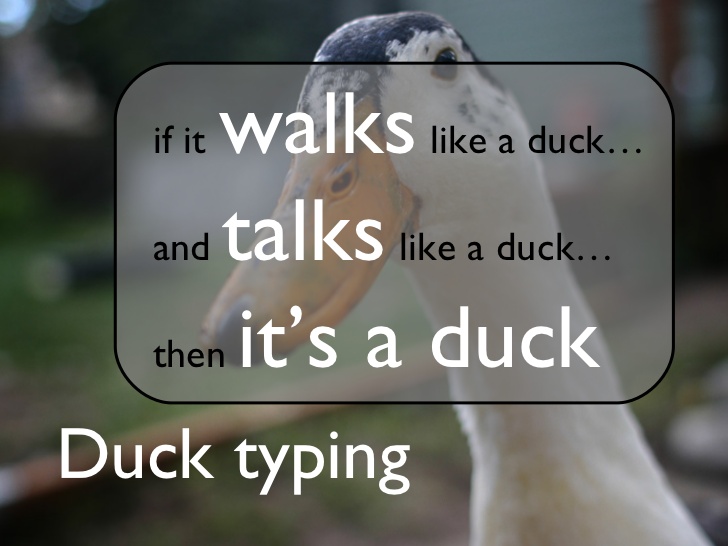
A function often needs particular operations from its argument, rather than one particular class. Duck typing means using an object according to what it can do. Different classes can support the same operation without inheriting from each other.
Here two small classes provide the same attribute, so one function can use either:
class Playlist:
    def __init__(self, title):
        self.title = title


def show_title(item):
    print(item.title)

class Album:
    def __init__(self, title):
        self.title = title

show_title(Playlist('Club night'))  # Club night
show_title(Album('Discovery'))  # Discovery
Both classes supply a .title attribute. A dictionary with a 'title' key would fail here because key lookup and attribute lookup are different operations.