Exceptions
When a Python operation fails, the error message can help us work out why. We’ll learn to read those messages and decide which errors our program can handle.
Exceptions
An exception signals that a program cannot carry out an operation. The cause might be an input we cannot use, an unavailable file, or a mistake in our code. When an operation raises an exception, it stops instead of producing its normal result. Unless the program has code to handle that exception, execution ends and Python reports the problem.
After game night, we want to add the scores saved in a file. Create scores.txt with one score per line:
10
20
40
Save this as read_scores.py beside the file and run python3 read_scores.py:
numbers = []
with open('scores.txt', encoding='utf-8') as f:
    for line in f:
        numbers.append(int(line.strip()))
print('total:', sum(numbers))  # total: 70
Now change 20 in the input file to oops and run the program again. int cannot turn that word into an integer, so it raises ValueError. The earlier 10 was added to the list, but execution stops before the final print. Restore the 20 before continuing.
A program can also produce the wrong result without raising an exception, or keep running without ever finishing. A logic error is a mistake in the steps we told the program to perform. With a loop, check whether its updates can eventually make its condition false.
This counter skips over the stopping value:
n = 0
while n != 3:
    n += 2
print(n)  # Never reached
The loop has no failing operation, so Python does not raise an exception. If you try it, press Ctrl+C in the terminal to interrupt it.
Tracebacks
A traceback shows the calls Python made before an exception went unhandled. Start with the last line, which names the exception and gives its message. Just above it you’ll find the line of code where the operation failed.
Rename scores.txt to scores-backup.txt and run read_scores.py again. The traceback ends like this:
  File "read_scores.py", line 2, in <module>
    with open('scores.txt', encoding='utf-8') as f:
FileNotFoundError: [Errno 2] No such file or directory: 'scores.txt'
FileNotFoundError identifies the problem, and line 2 shows the operation that failed. Restore the original filename to make the report work again.
The cause can be earlier in the program. Check the values on the failing line and where they came from. For instance, a function that reaches its end without a return gives its caller None.
This function prints the scores but does not return them:
def read_example():
    numbers = [10, 20, 40]
    print(numbers)  # [10, 20, 40]


result = read_example()
print(len(result))  # TypeError: result is None
Adding return numbers inside the function gives the caller the list it needs.

Error Types
An exception’s type describes the kind of operation that failed. Several different mistakes can raise the same type, so use the message and the failing line together. In particular, TypeError means an operation cannot use the supplied kind of value, while ValueError means its type is accepted but its contents are unsuitable.
The table below shows common exception types and what causes them. (All the cheatsheets from this reading are available as a PDF here.)
| Exception | Meaning | Example cause |
|---|---|---|
FileNotFoundError |
A requested file does not exist | open('missing.txt') |
ValueError |
A value has the right type but unsuitable contents | int('oops') |
TypeError |
An operation cannot use the supplied type or arguments | len(10) or len() |
NameError |
A name has not been defined | opne('scores.txt') |
AttributeError |
An object has no requested attribute or method | '10'.append('20') |
IndexError |
A sequence index is out of range | [][0] |
KeyError |
A dictionary has no requested key | {}['Sam'] |
ZeroDivisionError |
Division or remainder uses a zero divisor | 10 / 0, 10 // 0, or 10 % 0 |
AssertionError |
An assertion’s condition is false | assert 2 < 1 |
Indexing selects one item, so that item must exist. Slicing selects a range and can return fewer items, or an empty sequence. Methods also depend on type: a list supports append, while a string supports strip and replace.
numbers = [10, 20, 40]
print(numbers[-1])   # 40
print(numbers[:10])  # [10, 20, 40]
print(numbers[3])    # IndexError
Each of these separate lines fails for a different reason:
numbers = [10, 20, 40]

numbers['0']       # TypeError: list indexes must be integers
numbers.replace(10, 20)  # AttributeError: lists have no replace method
int('2.3')         # ValueError: this text does not represent an integer
A function call needs a callable value and the required arguments. Python raises TypeError if an argument is missing, if there are too many, or if we put parentheses after a value that is not callable.
def average(numbers):
    return sum(numbers) / len(numbers)


average()  # TypeError: the numbers argument is missing
Save the result under a separate name so we can still call the function:
def average(numbers):
    return sum(numbers) / len(numbers)

result = average([10, 20, 40])
print(result)  # 23.333333333333332
Expressions are evaluated in steps. If one step raises an exception, Python never reaches the later steps. When following a dictionary lookup, distinguish the key from a variable holding that key. Iterating over a dictionary gives its keys, while items() gives key-value pairs.
Suppose Elon Musk and Dario Amodei are playing a game. We can keep each player’s scores in a dictionary:
grades = {'Elon': {'round1': 12}, 'Dario': {'round1': 15}}
for name, results in sorted(grades.items()):
    print(name, results['round1'])  # Dario 15, then Elon 12 on separate lines
items() supplies a key and value together, and name, results stores the pair in two variables. sorted orders these pairs by player name. grades['Dario']['round1'] makes two lookups: Dario’s record, then the score in that record.
Sundar Pichai hasn’t joined the game, so his name isn’t in scores:
scores = {'Dario': 15}
print('score: ' + scores['Sundar'])  # KeyError before Python tries to add
print(scores[Sundar])  # NameError if the variable Sundar is undefined
Run these last two lines separately to see each failure.
An assertion checks an assumption in our code. assert condition continues when the condition is true and raises AssertionError when it is false. It does not change the value being checked.
scores = [10, 20]
assert len(scores) > 0
print(len(scores))  # 2
Handlers
An exception handler gives the program a response to a particular failure. Put the operation that might fail in a try block and the response in an except block. If no exception occurs, Python skips the handler. If a matching exception occurs, Python skips the rest of the try block, runs the handler, and continues after it. The failed operation is not retried.
Keep scores.txt missing and replace read_scores.py with this version:
try:
    print('opening the file')  # opening the file
    with open('scores.txt', encoding='utf-8') as f:
        text = f.read()
    print('file opened')
except FileNotFoundError:
    print('could not find scores.txt')  # could not find scores.txt
print('finished the attempt')  # finished the attempt
Restore the file and run again to take the successful path through the try block.
A handler only catches the exception types it names. With several except blocks, Python runs the first one that matches. If none matches, the exception continues out of this block, possibly to a handler in the calling function. A bare except: catches unrelated failures too, making a programming mistake look like an expected input problem.
This conversion has separate responses for a word and an unsupported type:
value = 'oops'
try:
    number = int(value)
except ValueError:
    print('enter a whole number')  # enter a whole number
except TypeError:
    print('provide text or a number')
When the same response fits several types, put them in parentheses:
try:
    number = int(None)
except (ValueError, TypeError):
    print('invalid score')  # invalid score
Recovery
If an exception occurs inside a loop, the placement of the handler determines whether the loop continues. A try around the whole loop exits the loop on the first exception. A try inside the loop lets us handle a bad item and continue with the next one.
Put these lines in scores.txt:
10
20
oops
40
Replace read_scores.py with this version to skip the bad score:
numbers = []
with open('scores.txt', encoding='utf-8') as f:
    for line in f:
        text = line.strip()
        try:
            numbers.append(int(text))
        except ValueError:
            print('skipping bad value:', text)  # skipping bad value: oops
print('scores:', numbers)     # scores: [10, 20, 40]
print('total:', sum(numbers))  # total: 70
Moving try outside the loop would stop processing at oops, before reaching 40.
pass does nothing and is useful when a handler deliberately has no action. continue starts the next loop iteration, skipping any remaining statements in the current one. break leaves the loop completely. These statements let us distinguish skipping a bad item from stopping after a successful attempt.
To find the first usable score rather than collecting all of them:
for text in ['oops', '20', '40']:
    try:
        score = int(text)
    except ValueError:
        continue
    print(score)  # 20
    break
Raising Exceptions
Our own functions can reject inputs that have no sensible result. raise creates that failure explicitly, stopping the function where it occurs. The caller can handle it in the same way as an exception from a built-in function. Use the message to explain what made the input unusable.
Assertions check assumptions while developing a program, but Python can disable them. Use an explicit check and raise when rejecting invalid input is part of the function’s required behavior.
An empty list has no average. Save this test as average.py and run it:
def average(numbers):
    if len(numbers) == 0:
        raise ValueError('cannot average an empty list')
    return sum(numbers) / len(numbers)


try:
    print('average:', average([]))
except ValueError as error:
    print('problem:', error)  # problem: cannot average an empty list
except ValueError as error stores the exception in error, so we can print its message. The print inside try never runs because its call to average failed first.
Return to read_scores.py and replace it with the complete report:
def read_scores(filename):
    numbers = []
    with open(filename, encoding='utf-8') as f:
        for line in f:
            text = line.strip()
            try:
                numbers.append(int(text))
            except ValueError:
                print('skipping bad value:', text)
    return numbers


def average(numbers):
    if len(numbers) == 0:
        raise ValueError('cannot average an empty list')
    return sum(numbers) / len(numbers)


try:
    numbers = read_scores('scores.txt')
    result = average(numbers)
    print('scores:', numbers)
    print('total:', sum(numbers))
    print('average:', result)
except FileNotFoundError:
    print('could not find scores.txt')
except ValueError as error:
    print('problem:', error)
The handler inside read_scores skips individual bad scores. The handlers around the function calls catch a missing file or an empty list. Try valid, mixed, empty, and missing files to check each path.
The table below shows how statements control execution and handle errors.
| Statement | Behavior |
|---|---|
try: |
Begin the operations whose exceptions may be handled. |
except ValueError: |
Handle this exception type if it occurs in the try block. |
except (ValueError, TypeError): |
Use one handler for either exception type. |
except ValueError as error: |
Store the exception in error, including its message. |
raise ValueError(message) |
Stop the current operation by raising an exception. |
assert condition |
Raise AssertionError if the condition is false. |
pass |
Do nothing. |
continue |
Start the next iteration of the loop. |
break |
Leave the loop. |
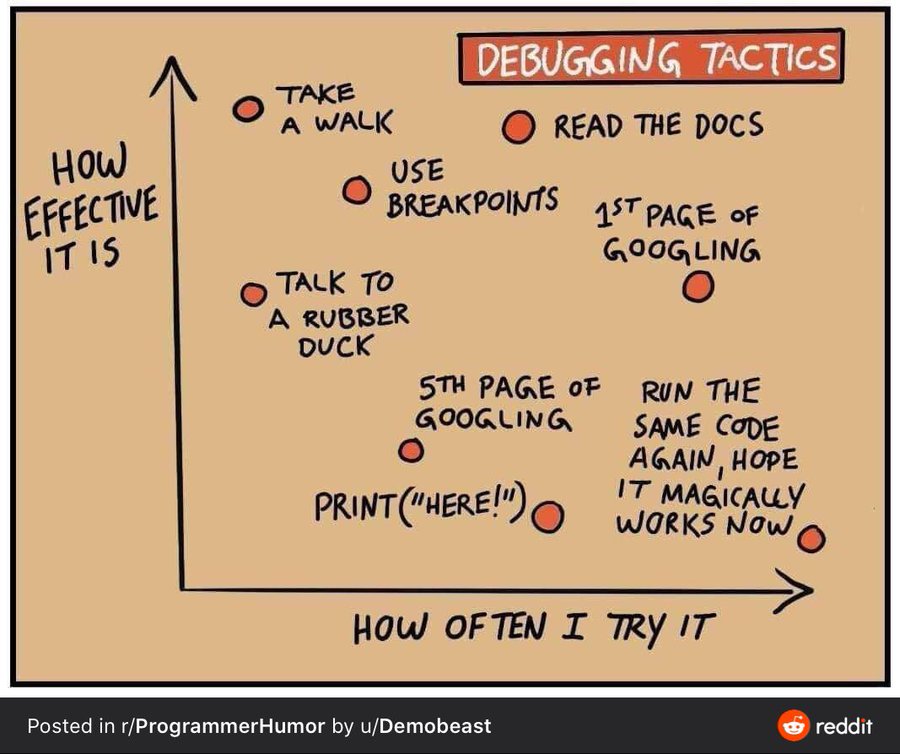
Debugging means finding which step first departs from what we intended. Inspect values near the failure, try a small input that reproduces it, and check the operation’s documentation. After a repair, rerun both the failing case and a case that already worked. The Python exception reference describes the types in the table.